

Signer Studio is a Word Processor for Sign Language.
Record, revise, reorder and re-sign — then export with subtitles. A complete sign language video studio, now in your browser.
(a) Who is it for?
Who is it for?
Signer Studio is for anyone that communicates or wants to communicate in Sign Language. Educators can create educational material, students can write essays, complete quizzes and take tests. Sign Language Interpreters can create translations. Clubs can create news bulletins. Social media users can post straight to their feed.
Learn more
(b) The studio
A Complete Video Studio in an App
Signer Studio is a complete video production studio in an app. It includes advanced video recording with an intelligent prompter and a video editor that integrates subtitle creation. Projects can be exported in multiple ways, from social video to Final Cut Pro.
Learn more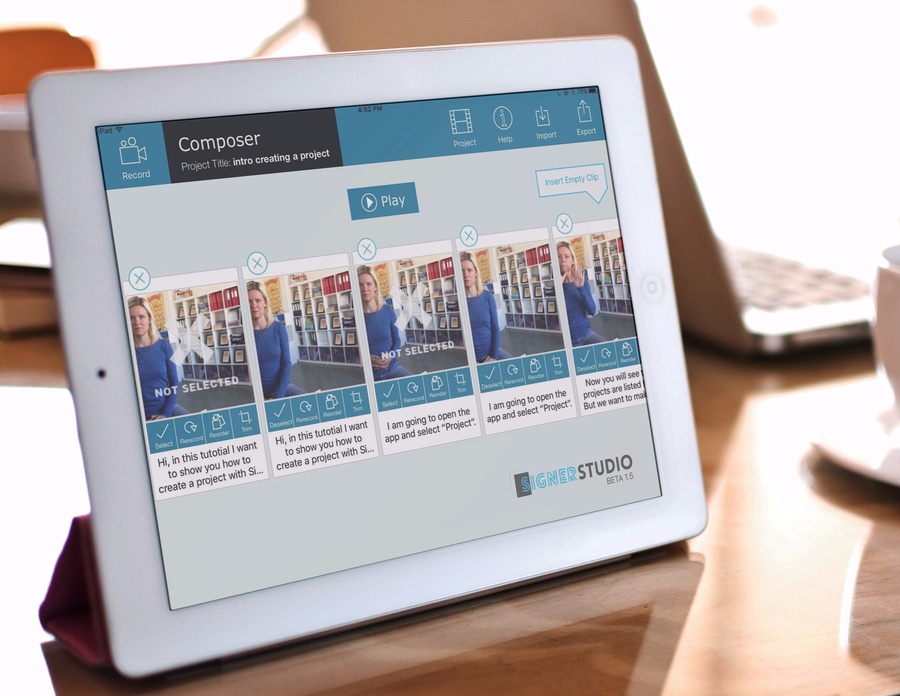
(c) Recording
Motion Activated Recording
Signer Studio uses patented motion activated recording. The camera detects when you start and stop signing, then perfectly trims and chops your presentation into manageable segments. No fiddling with the record button. No trimming the start and end of clips. Your presentation is segmented and ready for editing and export.
(d) Sign processor
Revise, Reorder, Re-sign
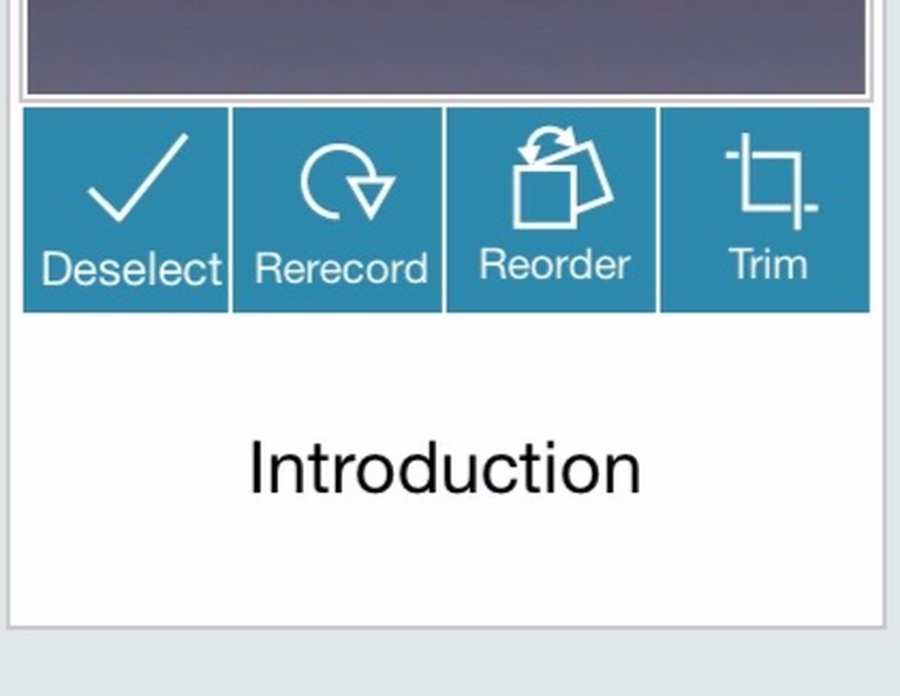
Signer Studio excels at letting you revise your presentation. Want to change the order of two sentences? Just drag them into place. Want to re-sign a sentence or two? Tap a button and re-record only that segment.
Editing sign language video in Signer Studio is like editing text in a word processor. That's why we call it a "Sign Processor".
(e) Prompter
Intelligent Prompter
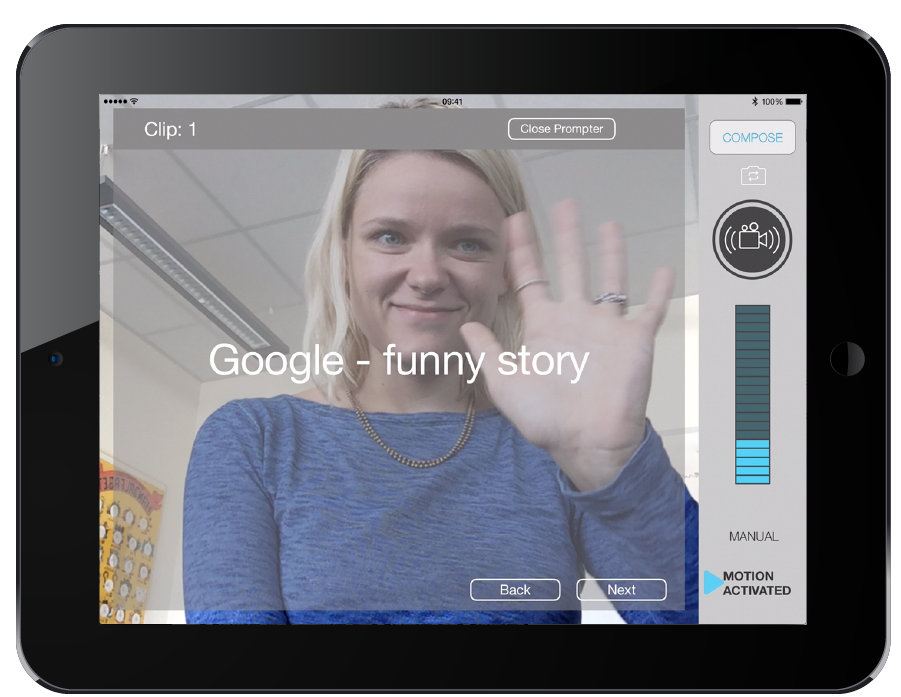
When you have a prompter, you can organize your presentation beforehand and record it in one go. No need to memorize long sections. No need to re-record multiple times. The prompter is even intelligent, advancing at exactly the right time.
(f) Subtitles
Add Subtitles
In Signer Studio, each clip is associated with text. You can use that text as a prompt or as a subtitle. Export subtitles overlaid on your video, or export them separately as .SRT for upload to YouTube or Vimeo.
(g) For the pros
Final Cut Pro Export
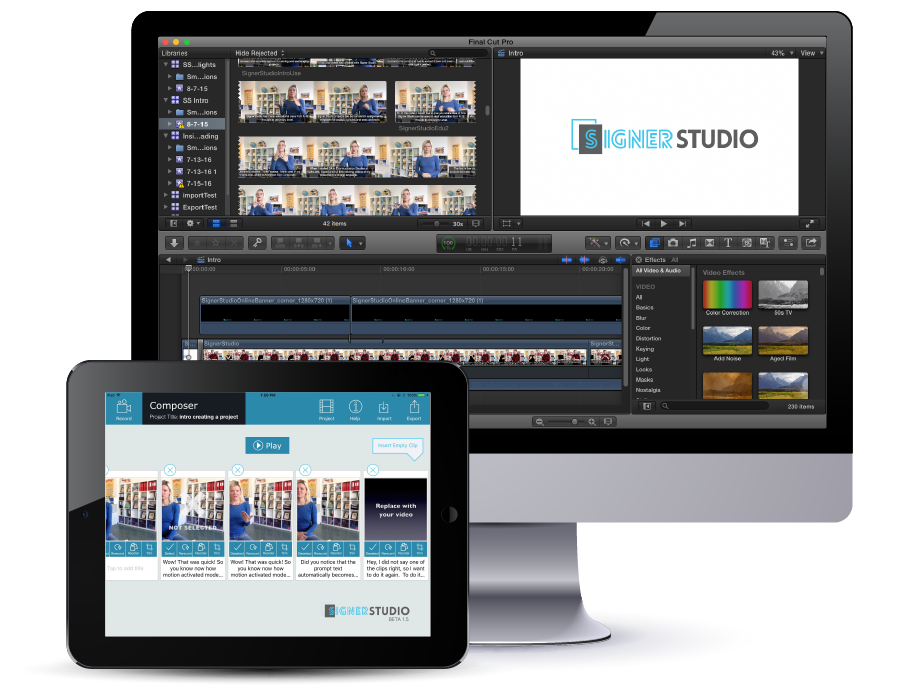
Signer Studio can export projects in FCPXML format that can be imported into Final Cut Pro. This lets you add professional touches to your recording, including green-screen keying, titles and text effects.
(h) Pricing
Choose your version
Signer Studio comes in 3 versions. Choose the one appropriate for you.
| Features | Lite | Pro | Pro + |
|---|---|---|---|
| Watermark: "Made with Signer Studio" | Yes | — | — |
| Patented Motion Activated Recording | Yes | Yes | Yes |
| High Definition (HD) Recording | Yes | Yes | Yes |
| Fast Editing: Reorder, Re-record, Trim | Yes | Yes | Yes |
| Subtitle Creation | Yes | Yes | Yes |
| Export to Camera Roll | Yes | Yes | Yes |
| Unlimited Projects | Limit 3 | Yes | Yes |
| Intelligent Prompter | — | Yes | Yes |
| Export Subtitles to SRT | — | Yes | Yes |
| Export video clips in full quality | — | Yes | Yes |
| Export to Final Cut Pro | — | — | Yes |
| Free Trial | — | 1 month | 1 month |
| Price | Free | $3.99/mo | $9.99/mo |
| Get Lite | Get Pro | Get Pro + |